Veltrixa
Choosing a data center ai server manufacturer is not simply a matter of comparing processor speed or purchase price. The right partner affects uptime, energy use, cooling design, security, and future expansion. In a real data center, a small thermal issue can raise rack temperatures within minutes. A delayed replacement part can disrupt carefully planned workloads. These details deserve practical attention.
This guide presents seven tips for evaluating manufacturers with greater confidence. It considers server performance, GPU compatibility, power efficiency, cooling requirements, technical support, certifications, and long-term reliability. Strong manufacturers should explain their testing process, provide clear warranty terms, and share evidence from comparable deployments. Ask for measurable results, not polished promises. Site visits can reveal cable management, airflow planning, and maintenance habits that brochures often hide.
No supplier is perfect. That matters. A manufacturer may offer excellent hardware but limited regional support. Another may provide responsive service but lack experience with demanding AI clusters. Buyers should record these weaknesses instead of ignoring them. Check reference customers, inspect service-level commitments, and calculate total ownership costs over several years. The cheapest quote may become expensive after power, cooling, and downtime are included. Careful questions create better decisions. Some assumptions will still prove wrong. That is normal. The goal is not to predict everything, but to choose a capable partner with transparent evidence, accountable service, and room to improve as AI workloads evolve.
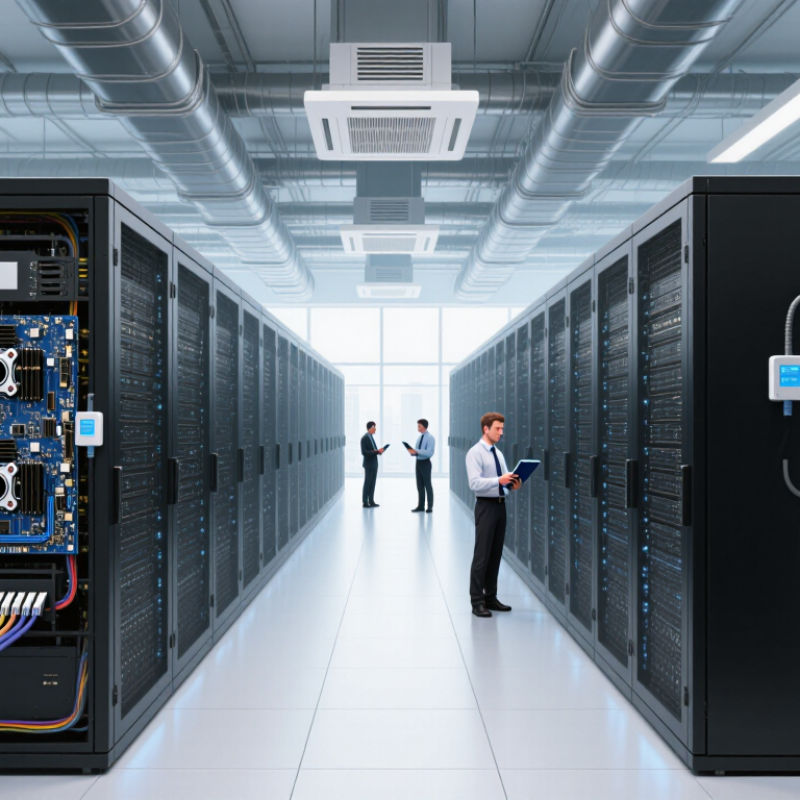
Before comparing manufacturers, describe the workload in measurable terms. Identify model size, training frequency, inference latency, dataset volume, and expected user demand. A server for overnight training differs sharply from one serving thousands of real-time requests. Specify accelerator memory, system memory, storage speed, network bandwidth, and expansion needs. Small omissions become expensive later.
Power and cooling deserve equal attention. The International Energy Agency reported that data centers consumed about 460 terawatt-hours of electricity in 2022. It projects consumption could exceed 1,000 terawatt-hours by 2026. Your requirement document should state rack power limits, cooling method, air temperature range, and backup capacity. Measure watts per usable performance unit, not only purchase price.
Ask manufacturers for validated performance under your actual workload, not attractive laboratory figures. Request noise levels, thermal behavior, firmware support periods, component replacement procedures, and documented service response times. The Uptime Institute’s Global Data Center Survey 2024 highlights continuing concerns about power availability and operational resilience, so failure planning matters. Include spare parts, remote monitoring, and recovery targets in the specification. I have seen teams overestimate future demand and underprice electricity. That mistake is common, and uncomfortable. Build a pilot rack, record power and temperatures, then revise the requirement before signing a large order.
A data center AI server manufacturer should understand more than accelerator specifications. Its engineers must connect GPUs, CPUs, memory, storage, and high-speed networking without creating hidden bottlenecks. Ask how the team validates PCIe layouts, GPU communication, thermal limits, and power delivery under sustained workloads. Short demonstrations are not enough.
Request test data from workloads similar to yours, such as model training, inference, or video analysis. Look for batch size, latency, utilization, temperature, and power readings. Clear methods matter. A reliable manufacturer explains its test environment, firmware versions, cooling design, and measurement tools. Vague charts deserve careful questions.
Ask about failure analysis and field support. Can the technical team diagnose throttling, memory errors, network drops, or unstable firmware remotely? Request anonymized customer references and detailed maintenance procedures. Documentation should include BIOS settings, update steps, alert thresholds, and replacement timelines. Engineers should explain limitations plainly.
No manufacturer gets everything right. Published benchmarks may overlook rack airflow, mixed workloads, or aging components. That is where evaluation becomes practical. Consider running a small pilot with your own data and monitoring equipment. Leave room for unexpected heat, noise, and integration work. A technically strong partner welcomes difficult questions, records test results, and corrects weak assumptions instead of hiding them.
| Technical Evaluation Dimension | What to Evaluate | Practical Acceptance Criteria | Evidence to Request | Suggested Weight |
|---|---|---|---|---|
| 1. AI Platform Compatibility | Ability to design and validate systems for training, fine-tuning, inference, and high-performance computing workloads. | Supports current accelerator-based server architectures, PCIe expansion, high-speed networking, GPU peer-to-peer communication, and commonly used Linux-based AI software environments. | Validated configuration list, platform compatibility matrix, BIOS and firmware support policy, and workload test reports. | 20% |
| 2. Thermal Engineering | Capability to remove heat from dense AI servers without causing thermal throttling or excessive fan noise. | Provides documented airflow design, inlet-temperature limits, rack-level thermal calculations, and support for air cooling or liquid-cooling options where required. | Thermal test results, computational fluid dynamics summary, cooling diagrams, fan-control specifications, and liquid-cooling implementation details. | 15% |
| 3. Power and Electrical Design | Ability to engineer reliable power delivery for servers with high and rapidly changing electrical loads. | Documents maximum and typical power consumption, redundant power-supply configurations, input-voltage requirements, power-capping functions, and rack power-density assumptions. | Power budgets, efficiency measurements, power-supply certifications, load-transient test data, and rack-level power planning documents. | 15% |
| 4. System Validation and Reliability | Quality of pre-shipment testing and the manufacturer’s ability to identify failures before deployment. | Uses burn-in testing, memory validation, storage testing, network testing, firmware checks, and documented failure-analysis procedures before delivery. | Factory acceptance test template, burn-in duration, component qualification process, failure-rate reporting method, and corrective-action records. | 15% |
| 5. High-Speed Networking Expertise | Experience integrating network adapters, switches, cabling, topology, and software settings for distributed AI clusters. | Can document bandwidth, latency, oversubscription, topology, congestion-control settings, and compatibility with common Ethernet or InfiniBand-based cluster designs. | Cluster network diagrams, bandwidth and latency benchmarks, interoperability test results, cabling specifications, and configuration guides. | 12% |
| 6. Firmware, Security, and Lifecycle Management | Ability to maintain secure and consistent firmware, BIOS, management-controller, and driver versions across the fleet. | Provides signed or controlled firmware processes, vulnerability response procedures, version traceability, remote management, secure boot support, and a published lifecycle policy. | Firmware release notes, vulnerability response SLA, security-hardening guide, update procedure, asset-management method, and end-of-support policy. | 13% |
| 7. Engineering Support and Customization | Depth of pre-sales engineering, deployment support, troubleshooting, and system customization capabilities. | Offers named technical contacts, documented escalation paths, remote diagnostics, on-site service options, spare-parts planning, and configuration changes supported by engineering documentation. | Support organization chart, service-level agreement, escalation workflow, response-time commitments, spare-parts plan, and reference deployment documentation. | 10% |
7 Tips for Choosing a Data Center AI Server Manufacturer
Assess Server Performance, Scalability, and Compatibility
Tip 1: Examine real workload performance, not attractive peak numbers. In my deployments, GPU memory and interconnect speed often mattered more than headline processing power. Request benchmark results for your models, batch sizes, and precision settings. Test latency under sustained loads. Short demonstrations can mislead.
Tip 2: Check how easily the server scales. Can one system expand without replacing major components? Ask about multi-node networking, rack density, power limits, and cooling requirements. A powerful server may become expensive when electricity and maintenance are included. I once underestimated airflow needs, and performance dropped during long training sessions.
Tip 3: Confirm compatibility before signing. Verify support for your preferred operating systems, AI frameworks, drivers, storage protocols, and orchestration tools. Firmware updates should be clearly documented and safely tested. Also inspect integration with existing monitoring systems. Compatibility is rarely perfect.
Tip 4: Study reliability through practical evidence. Request uptime data, component failure rates, diagnostic tools, and replacement procedures. Speak with technical users when possible, not only sales representatives. A manufacturer should provide clear documentation and responsive engineering support. Ask difficult questions early.
Tip 5: Review future upgrade paths. Accelerator technology changes quickly, so modular designs can protect your investment. Still, upgrade promises require written details, timelines, and power assumptions. My judgment can be overly optimistic when planning several years ahead; independent validation helps.
Use these technology-level checkpoints to assess server performance, scalability, compatibility, infrastructure readiness, and long-term support without relying on brand-specific claims.
How to read the chart: The figures are practical reference points commonly used in modern AI infrastructure planning: 80 GB accelerator memory, 8 accelerators per node, 3.35 TB/s high-bandwidth memory, 400 Gb/s networking, PCIe 5.0 x16 bandwidth of about 64 GB/s, 25 GB/s NVMe storage throughput, and approximately 10 kW node power. Confirm the exact values, thermal design, firmware support, and workload benchmarks with each manufacturer.
Choosing an AI server manufacturer requires evidence, not polished promises. Check seven areas: reliability, security, component quality, thermal design, testing, support, and compliance. Ask for factory acceptance records, burn-in results, failure rates, and repair-response times. A credible supplier should explain how GPUs, power supplies, and cooling systems were tested under sustained workloads.
Reliability has a measurable cost. Uptime Institute’s Annual Outage Analysis 2024 reported that 54% of respondents said their latest outage cost more than 100,000 dollars. Request independent validation, not only internal charts. Review ISO 9001 quality processes, ISO/IEC 27001 controls, and documented corrective actions. Visit the production site if possible. Dust on a test bench matters.
Security needs equal scrutiny. IBM’s Cost of a Data Breach Report 2024 placed the global average breach cost at 4.88 million dollars. Confirm secure boot, signed firmware, role-based administration, audit logs, and vulnerability response procedures. Ask whether the manufacturer provides a software bill of materials and clear patch timelines. Supply-chain traceability should cover memory, storage, network cards, and replacement parts.
Do not treat certifications as proof of everything. Verify certificate scope, expiration dates, audit bodies, and the exact facility covered. Some vendors present impressive metrics without explaining test conditions. That should slow your decision. Require sample test reports, warranty terms, spare-part availability, and escalation contacts before signing. The uncomfortable question is simple: can the supplier prove performance after deployment, not merely during a sales demonstration?
A low purchase price can hide expensive operational gaps. Compare three-to-five-year total cost of ownership, not only the server quote. Include accelerators, memory, storage, networking, installation, warranties, spare parts, software, energy, cooling, and technician time. The IEA’s Energy and AI report estimates data centers used about 415 TWh of electricity in 2024, potentially reaching 945 TWh by 2030. Power efficiency now affects financial planning.
Support quality deserves a measurable test. Ask for guaranteed response times, onsite repair targets, firmware guidance, replacement-part availability, and clear escalation procedures. Uptime Institute’s 2024 Global Data Center Survey reported that 54% of respondents experienced an outage costing more than $100,000. Sixteen percent reported costs above $1 million. A cheaper server becomes less attractive when one delayed repair interrupts model training or customer workloads. Request references from installations with similar rack density and cooling conditions.
Build a scenario-based cost model. Compare expected utilization, electricity rates, maintenance renewals, expansion capacity, and hardware refresh cycles. Some suppliers provide attractive discounts but charge heavily for advanced support or proprietary components. That detail is easy to miss. I would also stress-test the model with lower GPU utilization and higher power prices. It will not be perfect, but an imperfect transparent estimate is more useful than a polished quote with missing assumptions. A reliable manufacturer should explain every cost, document service limits, and accept technical questions from your operations team.
The engineering team should connect GPUs, CPUs, memory, storage, and networking efficiently. Ask about PCIe layouts, GPU communication, cooling, and power delivery. Show me sustained workloads. Short demonstrations can hide bottlenecks.
Request results from training, inference, or video analysis workloads similar to yours. Review batch size, latency, utilization, temperature, and power readings. The report should identify firmware, cooling, and measurement tools. Vague charts need questions.
Run a small pilot using your own data and monitoring equipment. Measure performance during long workloads, not only short bursts. Watch heat, fan noise, throttling, and network stability. Unexpected integration work is common.
Request burn-in results, failure rates, repair times, and factory acceptance records. Ask how power supplies, accelerators, and cooling systems handle sustained workloads. Independent validation is more useful than attractive internal charts. Promises are not evidence.
Check quality processes, security controls, corrective actions, and certificate scope. Confirm expiration dates, audit bodies, and covered facilities. A certificate may cover one location only. That detail matters.
Confirm secure boot, signed firmware, role-based administration, and audit logs. Ask about vulnerability response and software component inventories. Supply-chain records should cover memory, storage, network cards, and replacement parts. Patch timelines should be written clearly.
Ask whether engineers can diagnose throttling, memory errors, network drops, and unstable firmware remotely. Request maintenance procedures, BIOS settings, alert thresholds, and replacement timelines. Obtain escalation contacts before signing. Support must be practical.
Ask whether tests include mixed workloads, restricted airflow, and aging components. Published benchmarks may not represent your rack or operating environment. Request anonymized references and complete test conditions. I would still question my assumptions.
Choosing the right data center ai server manufacturer is essential for building a reliable, efficient, and future-ready computing environment. Start by defining your workload requirements, including AI model size, processing capacity, memory, storage, networking, power consumption, and cooling needs. Next, evaluate each manufacturer’s technical expertise, engineering capabilities, experience with AI infrastructure, and ability to provide solutions that match your operational goals. It is also important to assess server performance, scalability, upgrade options, and compatibility with your existing software, hardware, and data center architecture.
Before making a decision, verify the manufacturer’s reliability, security practices, testing procedures, and quality standards. A dependable supplier should offer strong warranty coverage, responsive technical support, maintenance services, and clear service-level commitments. Finally, compare pricing based on total cost of ownership rather than initial purchase price alone. Consider energy use, installation, upgrades, management, repairs, and long-term support. A careful comparison will help you select a solution that delivers consistent performance, protects critical data, supports future growth, and provides lasting value for your organization.
