Veltrixa Veltrixa

7 Tips for Choosing an AI Computing Server Manufacturer?

Time:2026-10-25 Author:Mason
0%

Selecting an AI computing server manufacturer is a technical decision with long-term operational consequences. A server may look powerful on paper yet struggle under sustained model training, inference, or data-intensive workloads. The right partner should match your actual requirements, not simply promote the newest accelerator.

This guide presents seven practical tips for evaluating manufacturers with greater confidence. It examines GPU and CPU compatibility, thermal design, memory capacity, networking, power efficiency, validation procedures, and after-sales support. It also considers certifications, production experience, delivery stability, and the manufacturer’s ability to customize systems. These details matter when a rack must run continuously in a crowded data center.

Look beyond headline specifications. Ask for benchmark evidence using workloads similar to yours. Review cooling performance, firmware controls, warranty terms, and replacement timelines. A reliable AI computing server manufacturer should explain limitations clearly, including performance loss from thermal throttling or restricted expansion. That honesty is valuable.

No checklist is perfect.

In practice, buyers sometimes overvalue peak throughput and overlook service response times. A failed power supply can halt an entire experiment. A delayed replacement can cost more than a modest hardware premium. Speaking with existing customers may reveal weaknesses that brochures conceal. Independent testing and documented compliance add further confidence.

The strongest choice balances engineering capability, supply-chain reliability, support quality, and total ownership cost. Keep room for doubt. Your workload may change faster than expected, so flexibility deserves serious attention.
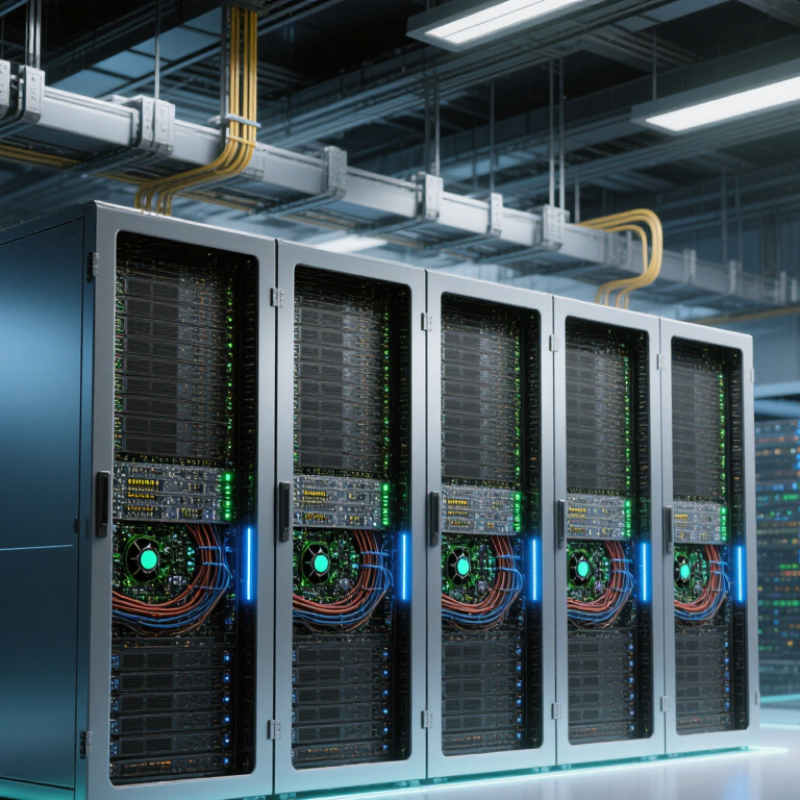
7 Tips for Choosing an AI Computing Server Manufacturer?

Define Your AI Workload and Performance Requirements

Define Your AI Workload and Performance Requirements

Before comparing an AI computing server manufacturer, describe what your workload actually does. Identify whether you need model training, fine-tuning, inference, simulation, or mixed workloads. Training may require several accelerators working together, while inference often depends on fast response times. Small details matter.

Record model size, batch size, input length, daily requests, and acceptable latency. Measure throughput in tokens, images, or predictions per second. Also check memory usage during peak operation, not only average usage. A server with impressive processor specifications may still struggle when data constantly moves between memory and storage. Use representative datasets and repeatable tests, rather than relying on brochure figures.

I once underestimated storage speed during a computer vision project. The accelerators were powerful, but they frequently waited for image files. That mistake increased costs and delayed testing. Include data transfer speed, network bandwidth, cooling capacity, power limits, and future model growth in your requirements. Ask manufacturers for workload-specific benchmark methods and complete test conditions. Independent measurements are more reliable than vague performance claims. Your requirements may change later. Document assumptions, review them with engineers, and leave room for honest uncertainty.

Define Your AI Workload and Performance Requirements

Approximate GPU memory required to store model weights at different precisions. Each billion parameters requires about 2 GB in FP16 or 1 GB in INT8, excluding runtime overhead, KV cache, gradients, and optimizer states.

Use these figures as a starting point when comparing server configurations. Inference, fine-tuning, and training workloads require different memory capacity, interconnect bandwidth, storage performance, and cooling capabilities.

Evaluate Hardware Design, Scalability, and Upgrade Options

7 Tips for Choosing an AI Computing Server Manufacturer?

Evaluate Hardware Design, Scalability, and Upgrade Options

A capable AI server starts with balanced hardware, not headline specifications. Check accelerator density, memory bandwidth, CPU lanes, network topology, and storage paths. Poor airflow can throttle performance within minutes. The International Energy Agency reported that data centers consumed about 415 TWh of electricity in 2024. Therefore, inspect cooling design, power redundancy, and rack-level efficiency before comparing prices.

Ask whether the manufacturer supports modular expansion. Can the system add accelerators, memory, storage, or faster networking without replacing the chassis? The Stanford AI Index 2025 reported that training compute for notable AI models has been doubling roughly every five months. Your capacity plan may age quickly. A scalable platform should support staged investment, clear firmware compatibility, and documented limits for rack power and thermal load.

Demand practical upgrade evidence, not promises. Request test results under sustained workloads, including mixed inference and training sessions. Examine failure-replacement procedures and spare-part availability. I have found that attractive roadmaps sometimes hide restrictive proprietary components. That deserves scrutiny. Use independent benchmarks, service-level terms, and references from comparable deployments. A spreadsheet can still lie. Leave thermal headroom and budget for networking upgrades, because future bottlenecks may appear outside the server itself.

Compare Reliability, Quality Control, and Warranty Coverage

7 Tips for Choosing an AI Computing Server Manufacturer

Reliability should be proven, not promised. Ask for uptime records, failure rates, and service response data from comparable deployments. A manufacturer should explain its component selection, thermal design, power protection, and firmware update process. Independent test reports are useful, but real customer references reveal more. Speak with technical users, not only sales representatives. No supplier is perfect.

Quality control deserves close inspection. Request details about incoming component checks, serial-number traceability, assembly inspections, and burn-in testing. AI servers often operate under sustained heat and heavy accelerator loads, so thermal stress testing matters. Ask whether every completed unit receives performance validation before shipment. Look for clear procedures covering memory errors, cooling failures, and power instability. Vague answers are warning signs. I would also inspect sample test records, although manufacturers may provide incomplete examples.

Warranty coverage can protect your investment after installation. Compare coverage for parts, labor, shipping, firmware, and on-site service. Check response times, replacement procedures, exclusions, and support hours. An advance-replacement option may reduce downtime when a critical accelerator fails. Confirm whether the warranty remains valid after approved upgrades or workload changes. Long coverage is not automatically better; restrictive conditions can weaken it. Read the actual warranty document, not just the headline. I once underestimated return-shipping delays, and that mistake changed how I evaluate service commitments. Ask for a written escalation path and measurable service-level terms before signing.

Assess Software Support, Security, and System Compatibility

Choosing an AI computing server manufacturer requires more than comparing processor counts. Software support often determines whether hardware becomes useful or sits idle. Ask for validated versions of operating systems, drivers, AI frameworks, and container tools. Request a compatibility matrix, not vague promises.

Test the support process before signing a contract. Send a technical question about GPU memory errors or driver conflicts. Measure the response time and technical depth. Reliable support should provide installation guides, update notices, diagnostic tools, and clear escalation paths. A polished portal can still hide weak engineering support. I have seen attractive documentation fail when a minor framework update changed performance.

Security must cover the entire server lifecycle. Check secure boot, signed firmware, identity controls, encrypted management traffic, and detailed audit logs. Ask how quickly the manufacturer releases patches after a vulnerability appears. Confirm whether administrators can separate production workloads from testing environments. Physical access controls also matter, especially in shared data centers. Security claims without evidence deserve careful doubt.

System compatibility needs practical testing. Verify power requirements, rack dimensions, network speeds, storage interfaces, and accelerator support. Check whether the server works with existing orchestration, monitoring, backup, and cooling systems. A configuration may pass a laboratory benchmark yet struggle in a crowded rack. Require a pilot deployment with real workloads and failure scenarios. No checklist is perfect, but measured tests expose expensive surprises before installation.

Review Pricing, Delivery Capability, and Manufacturer Expertise

7 Tips for Choosing an AI Computing Server Manufacturer

Pricing should be judged beyond the invoice. Request a line-item quote covering GPUs, memory, networking, cooling, installation, warranties, and software support. Compare three-year total ownership costs, not only the purchase price. IDC forecasts worldwide AI and generative AI spending will reach 632 billion dollars by 2028. That growth may tighten component supply and increase price volatility. Price is not capacity.

Delivery capability deserves measurable proof. Ask for current inventory, production capacity, shipment milestones, and replacement procedures. Require written lead times for standard and customized configurations. A realistic supplier should explain delays before they become emergencies. Uptime Institute’s 2024 Global Data Center Survey reported that 54% of respondents faced outages costing more than 100,000 dollars. Delivery planning should therefore include spare systems, tested firmware, and remote technical support. Promises need evidence.

Manufacturer expertise appears in the questions they ask. Can the team calculate rack power, airflow, liquid-cooling requirements, and workload density? Can it validate performance with reproducible benchmarks? Request deployment references, burn-in records, failure-rate data, and escalation contacts. Expertise also means admitting limits. A supplier that rejects every risk sounds polished, but it may be hiding uncertainty. Review service-level agreements carefully, especially response times, parts availability, and on-site support. A fast server is useful only when it remains operational.

FAQS

What should I define before choosing an AI computing server?

Define training, fine-tuning, inference, simulation, or mixed workloads. Record model size, batch size, input length, requests, and acceptable latency. Small details matter.

Which performance measurements are most useful?

Measure tokens, images, or predictions per second. Check peak memory usage, not only averages. Use representative datasets and repeatable tests.

Why can powerful accelerators still perform poorly?

Slow storage or limited network bandwidth can make accelerators wait. I once underestimated image-file speed. Testing revealed an expensive delay.

What infrastructure details should I include?

Document data-transfer speed, bandwidth, cooling capacity, power limits, rack space, and future model growth. A crowded rack changes performance.

How can I evaluate software compatibility?

Request a compatibility matrix for operating systems, drivers, frameworks, and container tools. Test existing orchestration, monitoring, and backup systems.

How should I judge technical support?

Send a realistic question about memory errors or driver conflicts. Measure response time and technical depth. Attractive documentation may still disappoint.

What security features should an AI server provide?

Check secure boot, signed firmware, identity controls, encrypted management traffic, and audit logs. Ask about vulnerability patch timing. Claims need evidence.

Why is a pilot deployment important?

Test real workloads, failure scenarios, power use, cooling, and network behavior. Laboratory results can hide problems in a busy data center. No checklist is perfect.

Conclusion

Choosing the right ai computing server manufacturer requires more than comparing basic specifications or purchase prices. Start by defining your AI workload, including model size, training or inference needs, data volume, and expected performance. Then evaluate the manufacturer’s hardware design, scalability, cooling approach, expansion options, and upgrade flexibility to ensure the system can support future requirements. Reliability is equally important, so review quality-control procedures, component standards, testing methods, warranty coverage, and technical service capabilities.

You should also examine software support, operating-system compatibility, driver availability, security features, and integration with your existing infrastructure. Pricing should be assessed alongside delivery capability, maintenance costs, customization options, and the manufacturer’s experience in deploying comparable AI systems. A dependable supplier should provide clear documentation, responsive support, and a practical long-term service plan. By considering performance, expandability, reliability, compatibility, cost, and expertise together, organizations can select an AI server solution that delivers stable value throughout its operational life.

Mason

Mason

Mason is a seasoned marketing professional with a deep expertise in the company's offerings and a passion for driving brand awareness. With a strong background in digital marketing strategies, he has an innate ability to connect with diverse audiences and effectively communicate product benefits.......